What is Outsole?
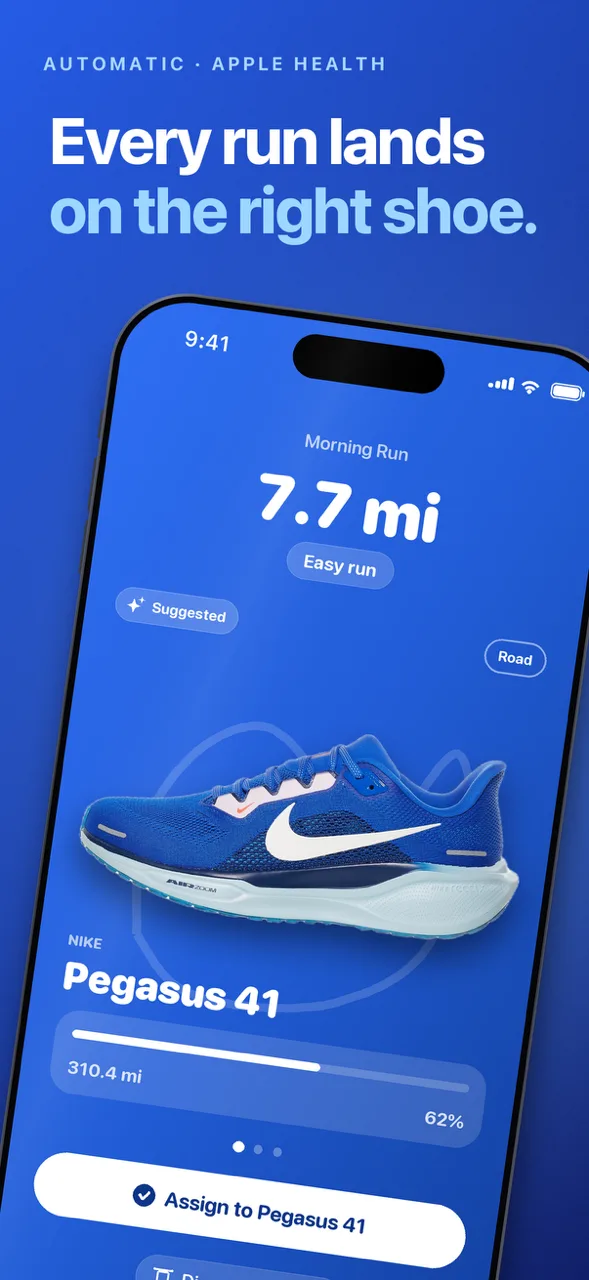
Outsole is an iPhone app that tracks the kilometers (or miles) on every pair of running shoes you own, so you know when to retire a pair and which shoe fits each run. It doesn't record runs itself: it picks them up from Apple Health, whether they come from an Apple Watch or any running app that saves to Health, and suggests the shoe you most likely wore. One tap confirms it, and you can add a run by hand.
Connect Strava once and your shoes come in with the mileage already on them, so no pair starts from zero. It's free, with no account, and comes from Blue42, which makes small indie apps for iPhone and Apple Watch. The first version came out in November 2026.
Key Features
Mileage alerts
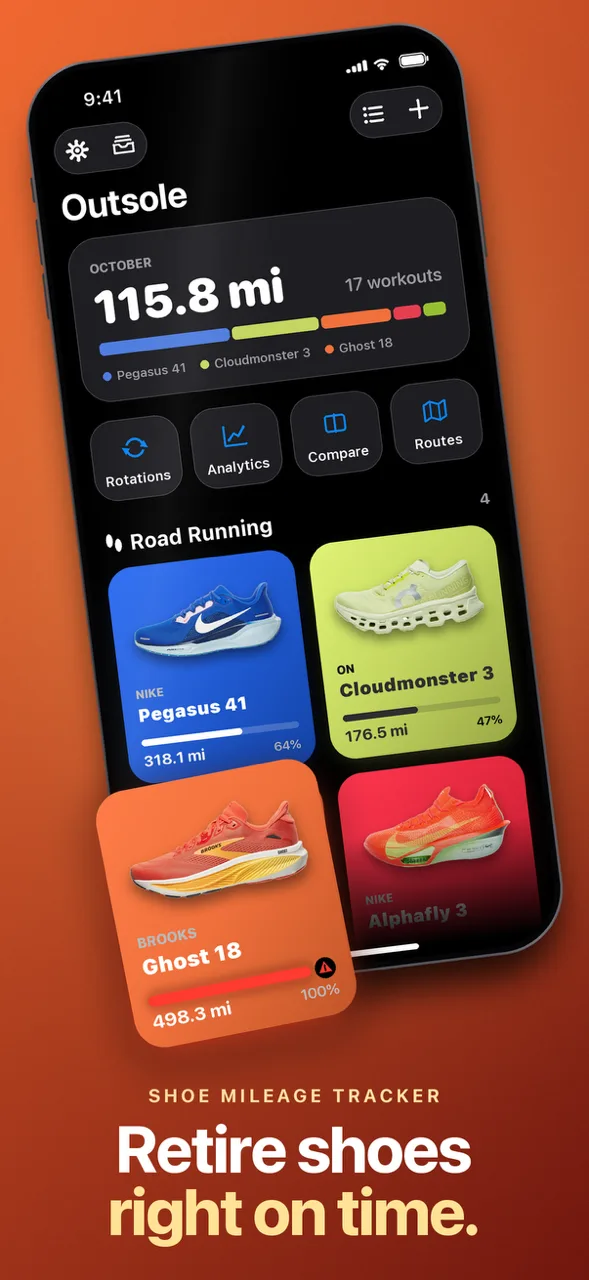
Every pair gets its own goal and a progress bar showing mileage, goal and life remaining. Outsole sends a heads-up at 80% of the goal and again at 100%. Insoles are tracked on their own, and keep their mileage when you move them to another shoe.
A rotation with a job for each shoe
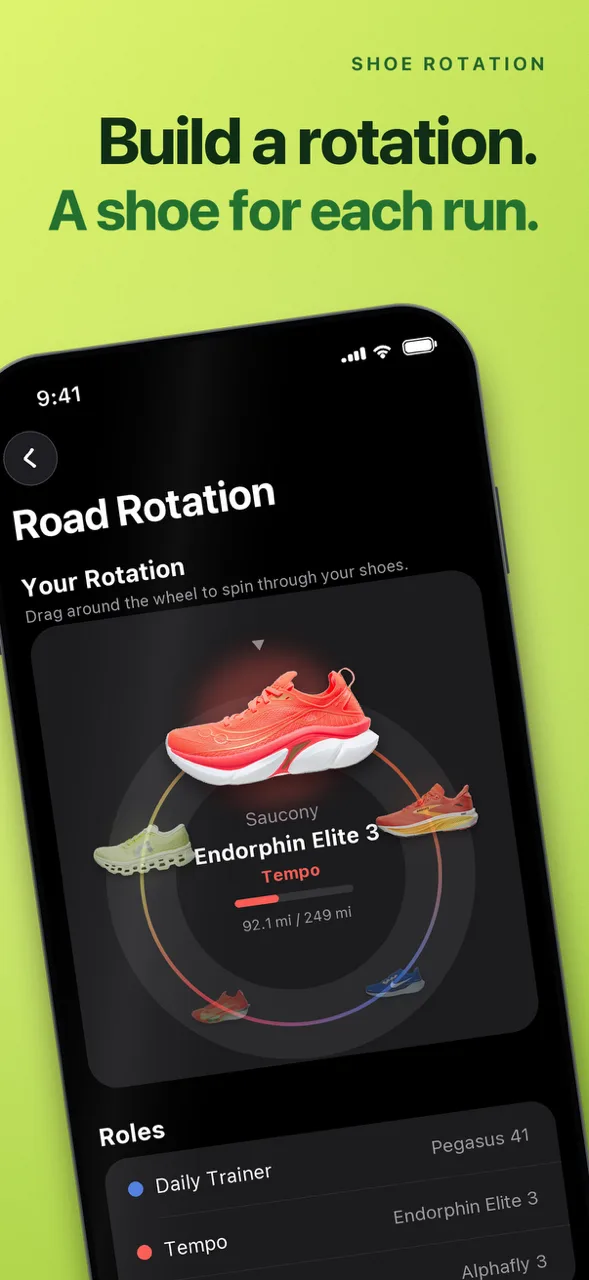
Give each pair a role: daily trainer, tempo, long run, race or trail. Outsole learns what you actually wear each one for, suggests the right shoe after every run, and points out gaps in your rotation and when to start a replacement. Starter road and trail rotations are there to tweak.
Road, gravel or trail
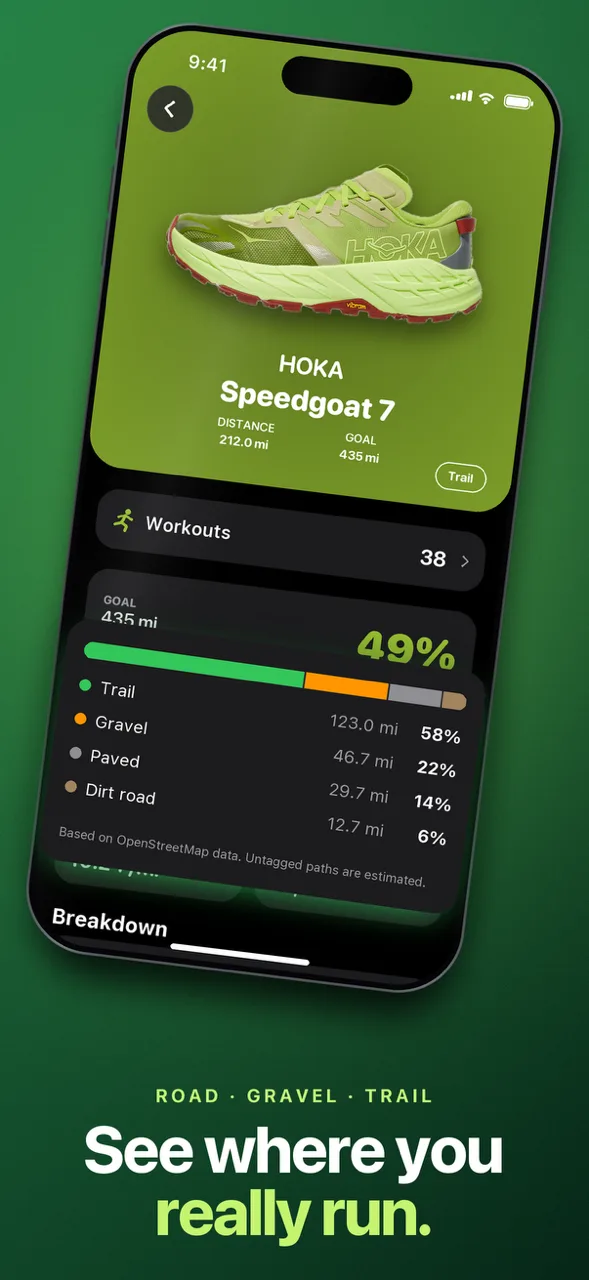
An optional surface breakdown matches each run's route to OpenStreetMap to show how much of a shoe's life was paved, gravel, trail or dirt road, along with weekly distance for the last 12 weeks. Switch it off in Settings and no route is sent.
Stats per pair
Total distance, time, pace and climb for any period from a month to all time, with which pair you wear most, your longest run and your fastest shoe. Each pair also shows its own distance, pace, heart rate, elevation and cadence. Compare two pairs side by side, rate them, note problems and see the cost per kilometer.
Widgets and lifetime cards
Home Screen widgets show one shoe, a rotation or all your shoes. A lifetime card for any pair shares its distance, runs and story, made for the retirement post.
How it works with Strava
Connecting Strava is optional. It brings in your shoes and the distance already logged on them, plus your basic profile, so your existing pairs start where Strava left them. It reads your gear and basic profile once, when you connect, and never writes anything back: it doesn't set the shoe on your Strava activities or change anything in your account. New runs come from Apple Health instead. (Confirmed by the Outsole team, November 2026.)
Your Health data and runs stay on your iPhone; with surface analysis on, a run's route is sent to public OpenStreetMap servers. Shoes you add (brand, model, total distance, your goal, the roles you give them, your ratings and when you retire them) are shared under a random anonymous ID, without your name or email, to build the app's shoe catalog.
Price and platforms
Free on the App Store, with no in-app purchases and no ads. iPhone only, on iOS 26 or later. Kilometers or miles, in English, French, German, Italian, Japanese, Portuguese and Spanish.
Who It's For
- Runners with more than one pair who want to know which shoe to grab and when one is done
- Strava users who already log shoes there and want that mileage carried over instead of starting again
- Trail and road runners curious how much of a shoe's life went on which surface
How do I delete my data?
Delete a shoe in the app, or delete the app, and the data on your iPhone goes with it. To remove the anonymous shoe records from the catalog, contact Outsole's support.