What is The Split?
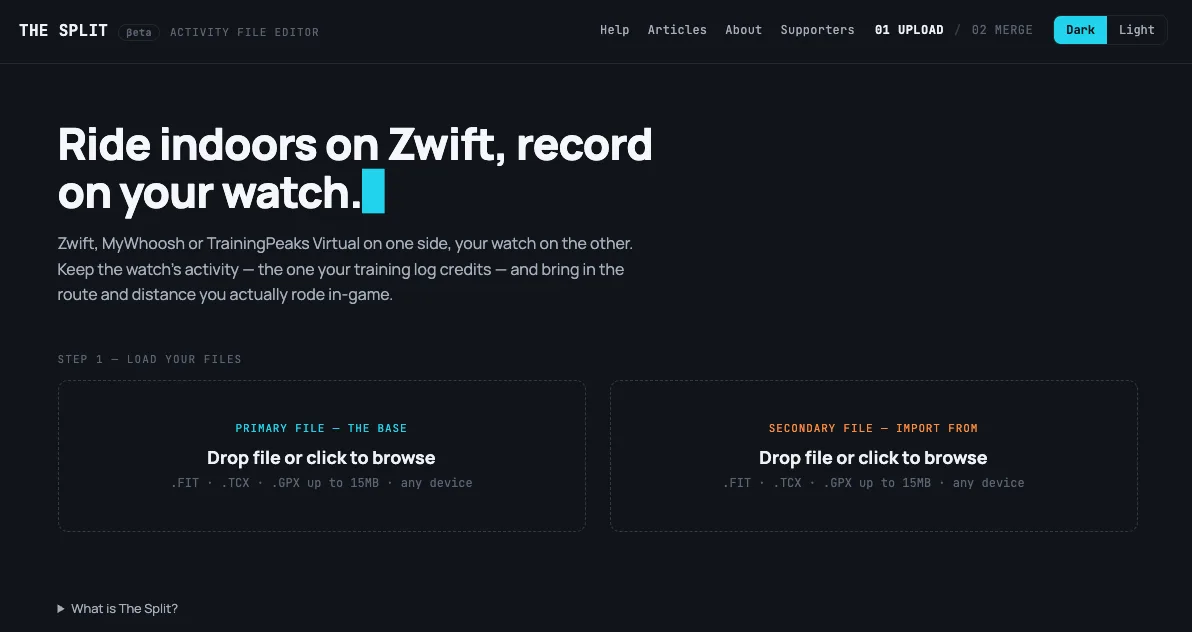
The Split is a free web editor for FIT, TCX and GPX activity files. You load a file of up to 15MB, pick a job, check a preview and download the result, with nothing to install and no account. Its About page says a triathlete built it for two problems of their own: heart rate from a strap that can't reach a watch through water, and a transition button pressed a few strides late. It's operated by Britemind Oy, a Finnish company.
It works on files, not on your account. Its help page says the files it exports are ordinary FIT, TCX or GPX files you can upload to Strava, and that it's independent of Strava and doesn't connect to your Strava account. Strava's help says it accepts those formats up to 25MB, so the route is to fix the file here and upload it yourself. To replace an activity already on Strava, its help says to delete the original first, which loses the kudos and comments, then upload the new file.
Key Features
Heart rate from a strap
Load the watch file and a second file from the strap, often a TCX export from something like a Polar Verity Sense. The Split swaps in the strap's heart rate and leaves GPS, pace, power, cadence and laps alone. Where the strap has no reading, or one below 40 bpm, the watch's value stays, so a strap that died halfway doesn't leave a hole. Lap and session averages are recalculated, and it can find the clock offset by comparing the two heart rate curves, or you can nudge it by hand.
Transitions
Drag a transition along the chart, or enter official chip times and every boundary moves at once, with an offer to trim the recording if the official start or finish differs from it. Lap and session stats are recalculated on both sides, and a lap that crosses the new boundary is cut in two, and a move that lands outside that lap is refused.
Swapping one leg
If your watch recorded the bike leg badly and a bike computer got it right, the bike computer's data goes into that leg, field by field, and the swim and run stay as they were. The file stays your watch's, with its device identity and laps. The second file has to be one session, with at least 80% of it inside one leg, so a bike computer left running through the run needs cropping first.
Indoor rides recorded twice
For a ride recorded on a watch and on Zwift, MyWhoosh, Rouvy or TrainingPeaks Virtual, you pick the base file, whose identity, proprietary data and laps the result keeps. Distance, speed, altitude and position come as one block from the file you choose, while power and cadence can each be picked separately. Clock drift is estimated from matching power patterns, with a manual override. A constant placeholder with no real measurement behind it, most often left/right pedal balance, never gets pulled in automatically. The two files have to overlap by at least 80% of the primary file's duration.
Crop, split and join
Crop keeps one window of an activity, by time or distance on a chart. Split cuts one recording into two files at a point you choose. Concatenate joins two or more back-to-back recordings in the order they were made, and they can overlap by up to 20 seconds. Recordings of one sport become one activity. Different sports stay as one session per recording in a single file, so a run, strength, run session becomes a multisport file. A gap of more than a second gets a rest lap with no moving time.
Who It's For
- Triathletes and duathletes whose watch splits don't match the chip times
- Swimmers with a strap under the cap, since the strap records its own file while the signal can't reach a watch through water
- Indoor riders who run a watch alongside a virtual platform and want one file
- Anyone whose recording broke in two after a bike computer rebooted or a watch lost GPS lock
- People who do Hyrox-style sessions, where each block ends up as its own file
What it doesn't do
Your file goes to The Split's server, which is different from tools that run only in the browser. It doesn't connect to your Strava account, so it can't fetch from Strava or send a fixed file back, and there's no public API yet.
The pages describe no way to move individual GPS points, flatten a heart rate or power spike, or repair a file that won't open. Crop keeps a single window, and the pages describe no one-step cut of a stretch from the middle. Exports come back in the primary file's format, and a GPX can't be the export when the result depends on heart rate or laps, since The Split says GPX has no field for either. When joined files are in different formats, you choose which one to export.
Strava has no multisport activity type, The Split's help says, so a multisport FIT file arrives there as separate activities, one per sport, and the transitions can come through as activities of their own. That split follows the legs in the file, it says, so setting the transition points first decides where each leg starts and ends on Strava. Its join guide says the same goes for joined files: display is up to the platform, so a joined Hyrox-style file may not stay one activity on Strava. The Split has tested one upload to Garmin Connect, a demo triathlon that imported as one multisport activity, and calls that one test, not a guarantee.
What happens to my files on the server?
The privacy page says they're held in memory while you work, never written to disk or backed up, and deleted automatically after a short period of inactivity. The terms tell you to keep your own copy of any file you care about. Standard server logs record time, IP address and page, and the usage analytics are a short list of fixed labels, such as which tool you used and a rough file-size band, never file names, dates or activity values.
How does it stay free?
The tool costs nothing. There's an optional supporter wall, where a one-time payment puts your name, and a link if you want one, on a page of the site and helps keep the tool running.
Can I combine a FIT file with a TCX or GPX file?
Yes. All three are accepted in any slot and for Concatenate the files don't have to match. TCX and GPX files don't record timer pauses, so a lap that ran across a pause can come out shorter than it really was.
Why did a leg lose its calories after I moved a transition?
Moving a boundary makes one leg longer, and the watch's figure never covered the extra time, so The Split removes it rather than guess. The shorter leg keeps a share of its figure where the file allows one to be worked out.